PowerBI
Power BI connects to your semantic layer over the MySQL wire protocol. Every dimension, measure, and join already defined in semantics/ shows up in the Fields pane, ready for visuals. You don't write Power Query, you don't redefine metrics per report.
Prerequisites
Set these up once on the machine running Power BI Desktop.
1. Install MySQL Connector ODBC 8.0.23
Download and install the connector. Power BI talks to your DataOS endpoint through this driver.
Note: Version 8.0.23 specifically. If a newer ODBC connector is already installed, or if you see "There weren't enough elements in the enumeration to complete the operation", uninstall it and reinstall 8.0.23.
2. Allow third-party connectors in Power BI
Open Power BI Desktop and go to File → Options and settings → Options → Security. Under Data Extensions, select "Allow any extension to load without validation or warning". Click OK and restart Power BI Desktop.
3. Install the DataOS Power BI connector
Download DataOS.mez and place it in your Power BI custom connectors folder:
If the folder doesn't exist, create it.
4. Set the cleartext environment variable
The MySQL wire protocol uses cleartext authentication (over TLS); this variable tells the ODBC driver to allow it.
Connecting to your semantic layer
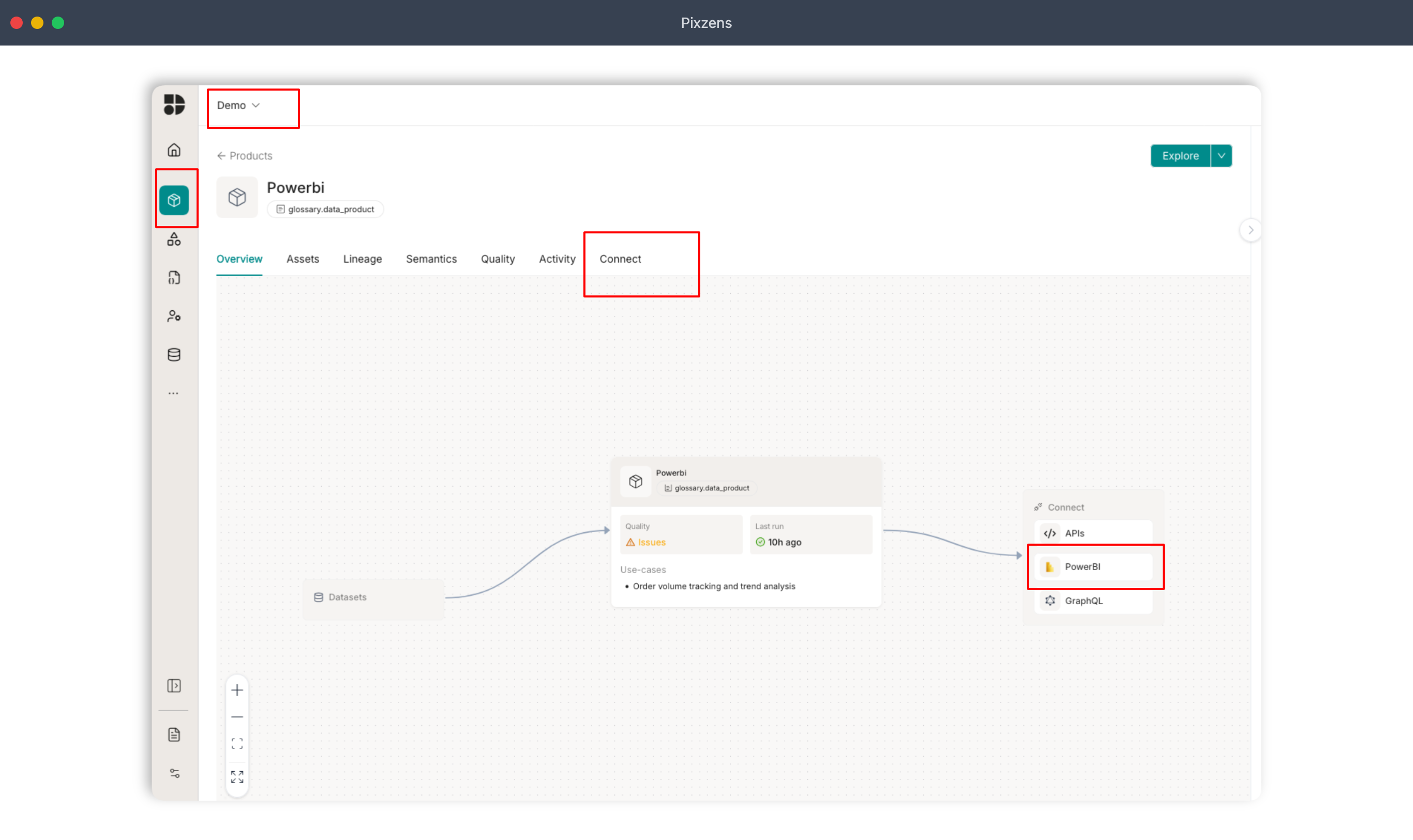
Step 1: Open Connect from the product tab
Select your tenant, go to the Products tab, and click Connect or Power BI.
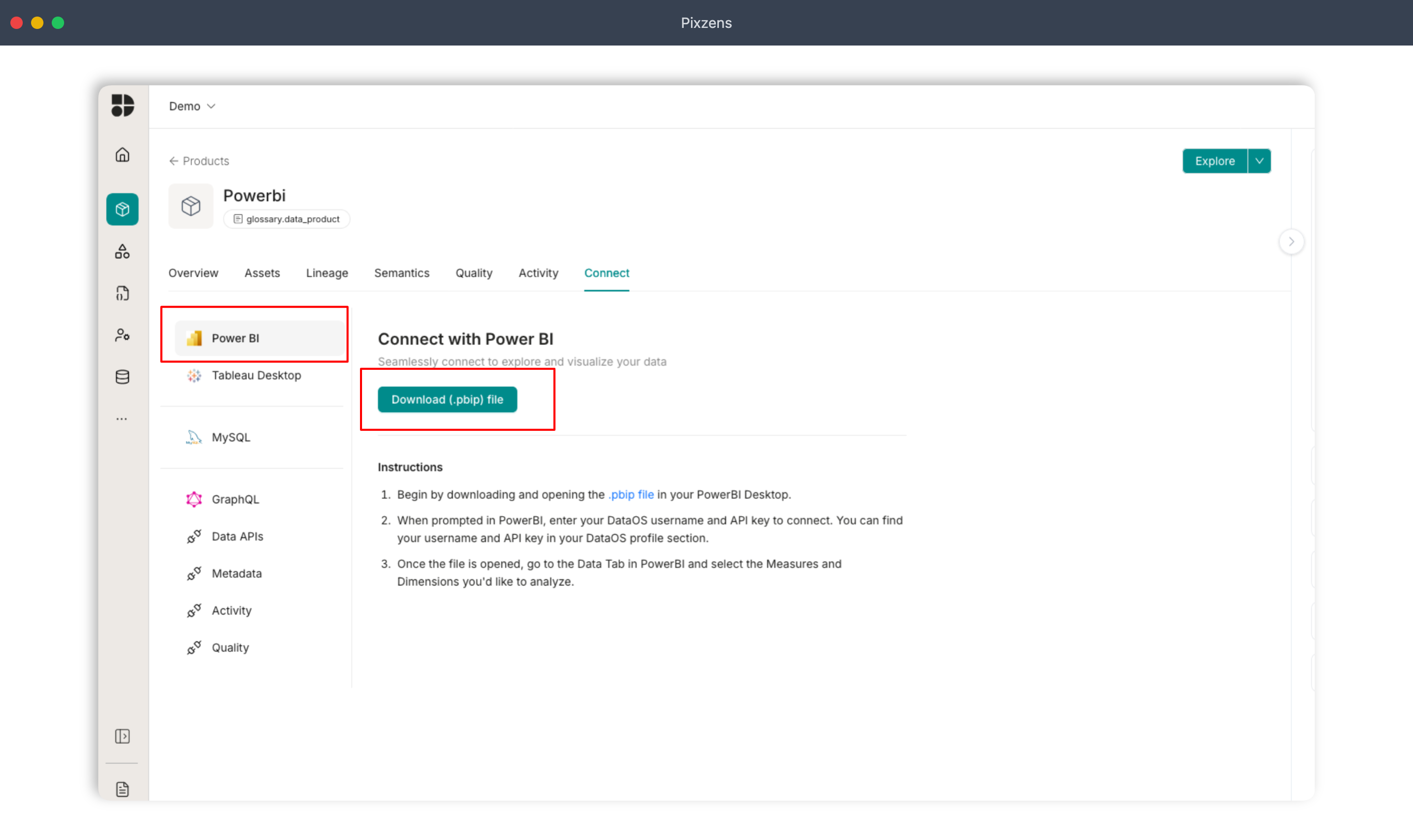
Step 2: Download the .pbip file
Click Download. The .pbip package is pre-configured with your tenant's endpoint and semantic model references.
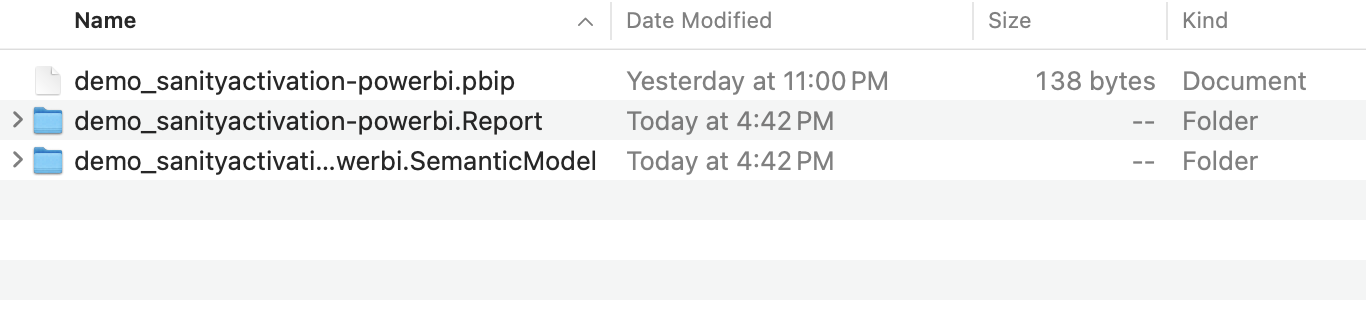
Step 3: Extract the archive
The download is a ZIP. Extract it; you'll see three files. The one you open is the .pbip file.
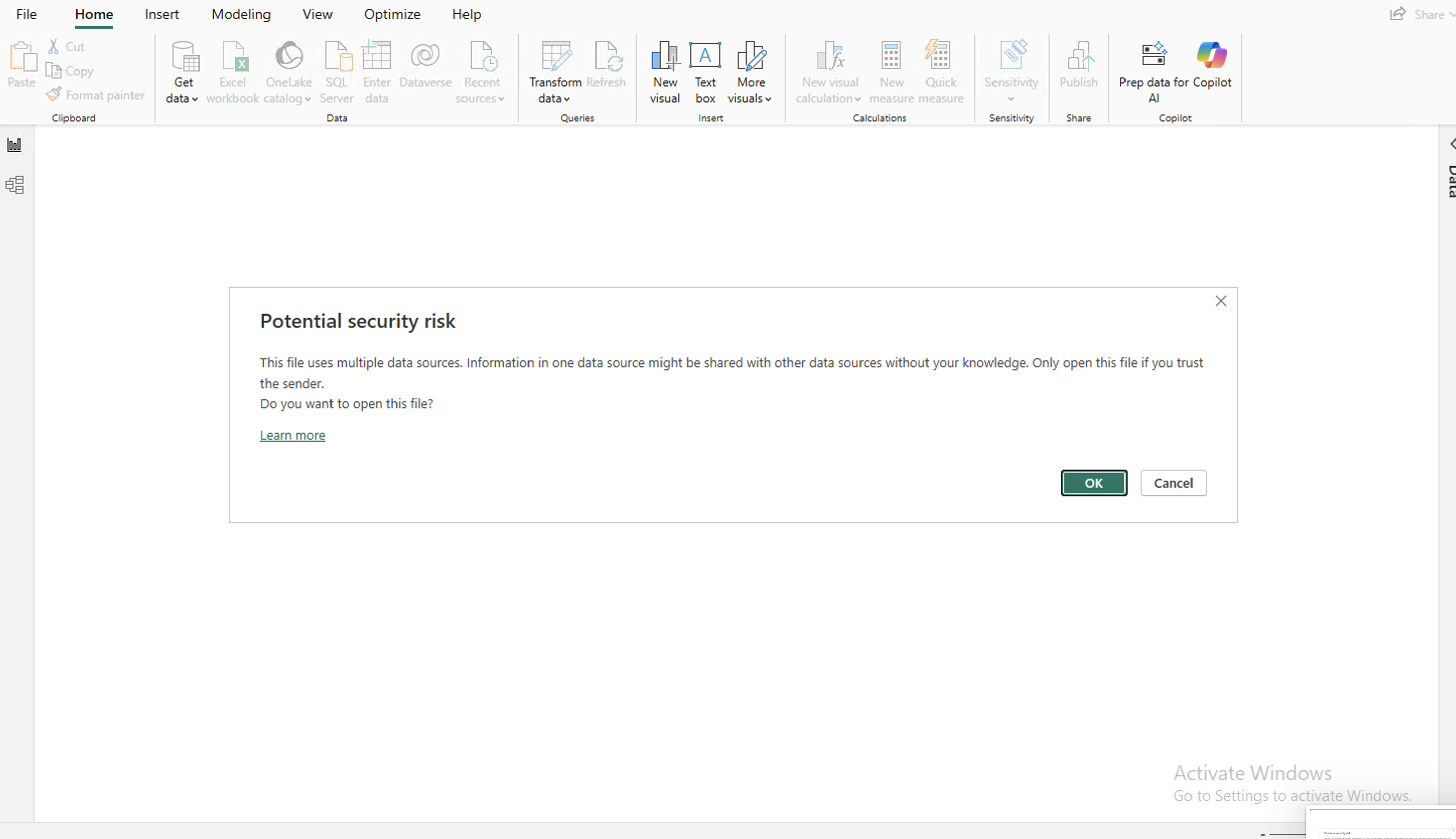
Step 4: Open the .pbip file
Double-click it. Power BI Desktop opens it automatically. If you get a connectivity or security dialog, click OK.
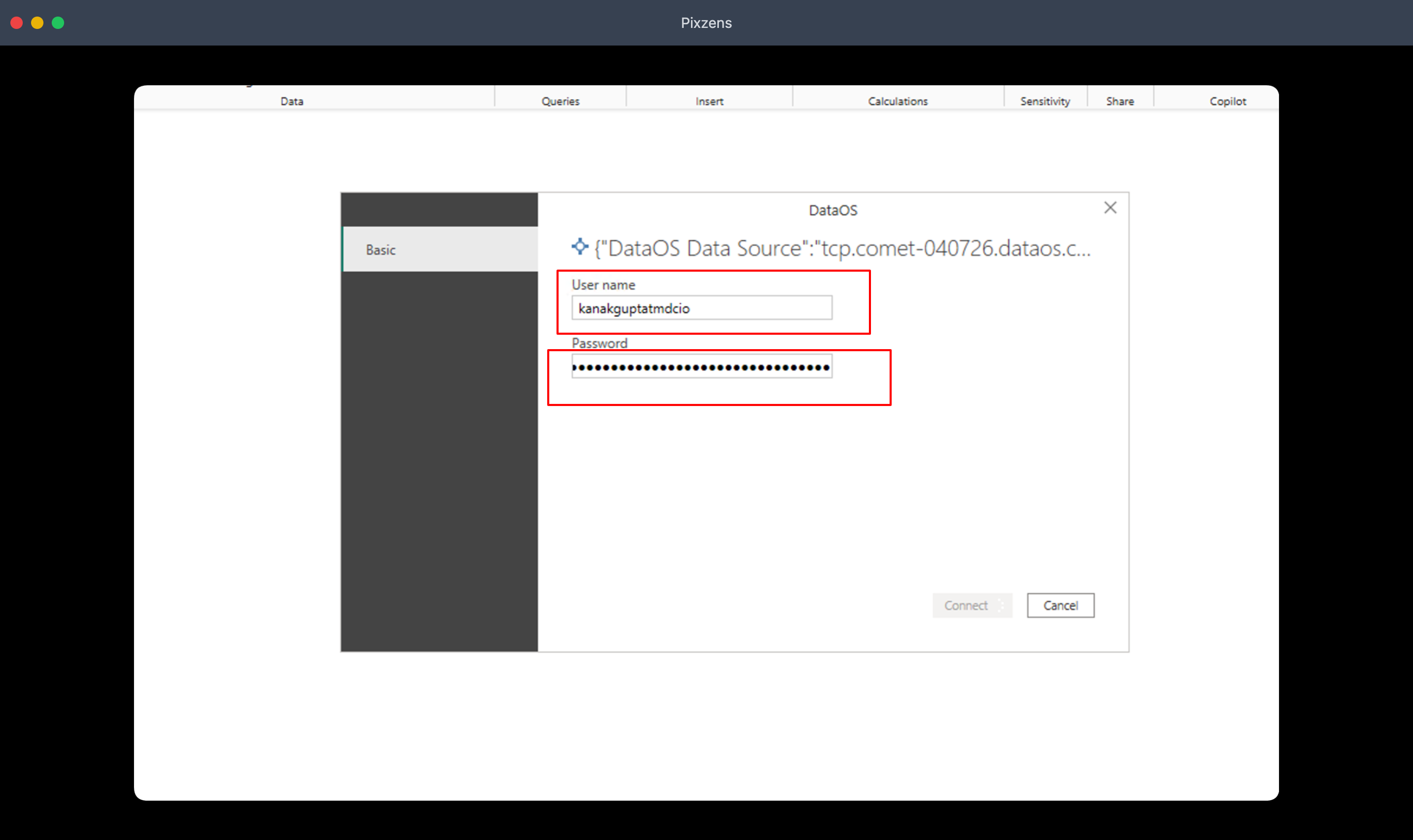
Step 5: Enter credentials
When prompted, enter your tenant username and API key. Same credentials you use to log in to the product.
Step 6: Your semantic models are loaded
Once authenticated, every available semantic model, with its dimensions and measures, shows up in the Fields pane on the right.
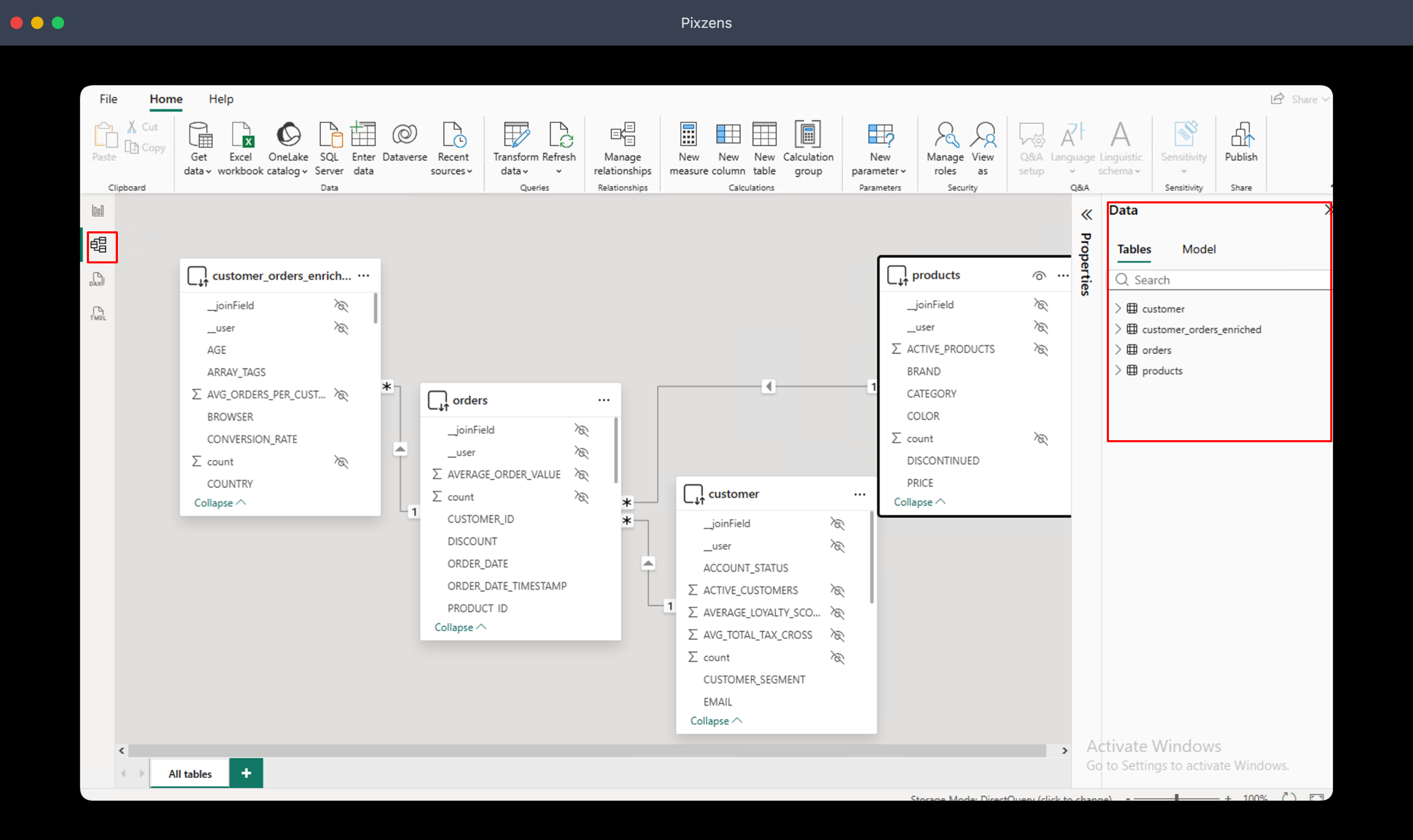
You're connected. Build reports, dashboards, and visuals directly on top of the semantic layer.
Troubleshooting
Common issues
"There weren't enough elements in the enumeration to complete the operation"
The wrong ODBC connector version is loaded. Uninstall any other MySQL ODBC version and reinstall 8.0.23 (link in Prerequisites).
The DataOS connector doesn't appear in Power BI
Two things to check: the .mez file is in [My Documents]\Microsoft Power BI Desktop\Custom Connectors\, and Allow any extension to load is enabled under File → Options → Security → Data Extensions. Restart Power BI after either change.
Authentication fails with "cleartext password not allowed"
ENABLE_CLEARTEXT_PLUGIN=1 isn't set in the system environment. Add it, then restart Power BI Desktop so the new variable is picked up.
Connection times out
Check that the tenant URL in the .pbip file is reachable from your machine (corporate VPN or firewall rules can block it). Re-download the .pbip if you switched tenants.